Everything Spent does

Built for how you
actually spend.

Main features.

01 · Smart by default

You spend. AI sorts.

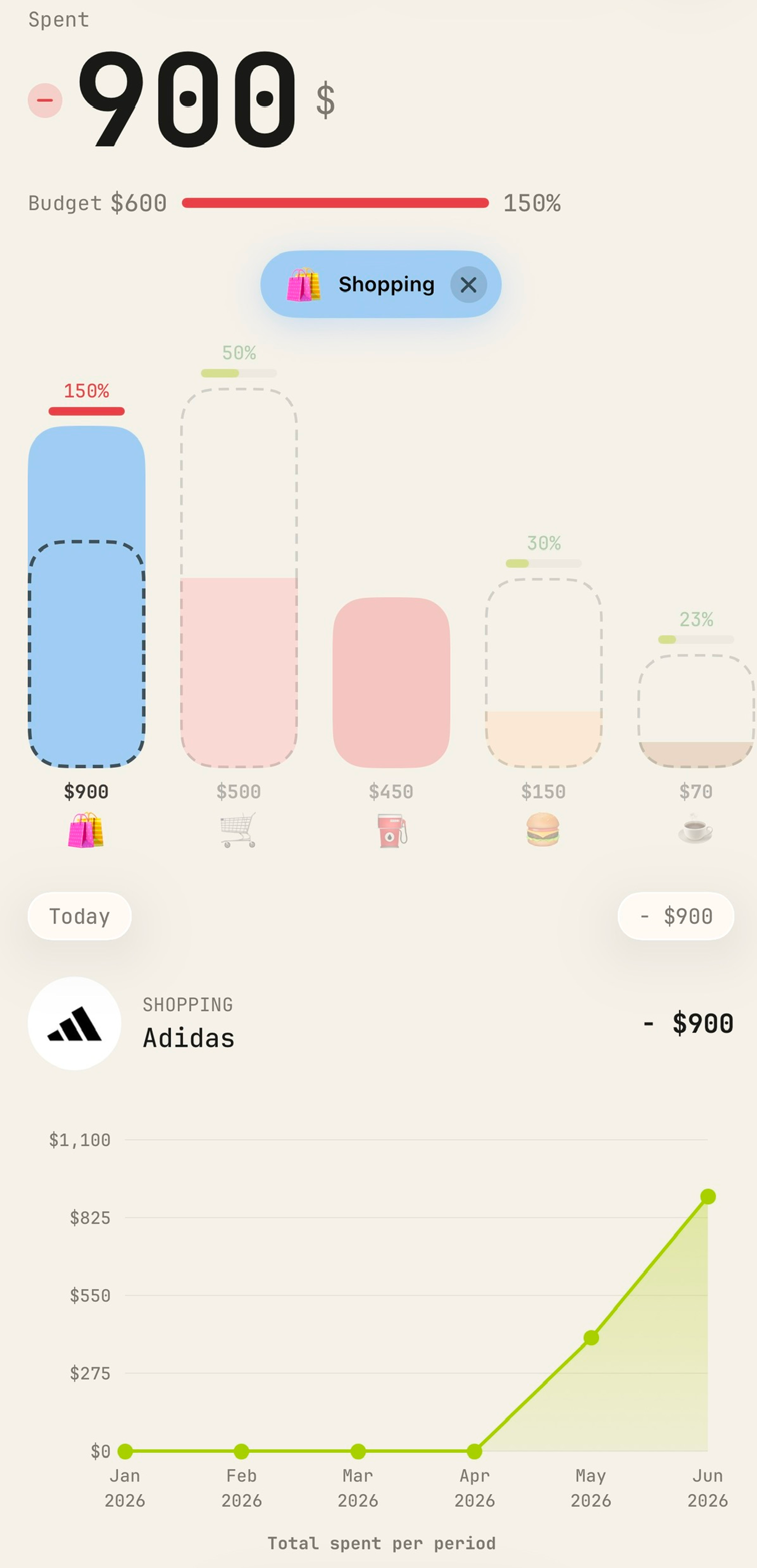
Every transaction lands in the right bucket the moment it's logged — groceries, eating out, utilities, shopping. Your month organises itself.

  • Powered by AI — every expense sorted into the right category, automatically
  • Merchant logos matched and shown for you
  • Your whole month, organised and easy to follow
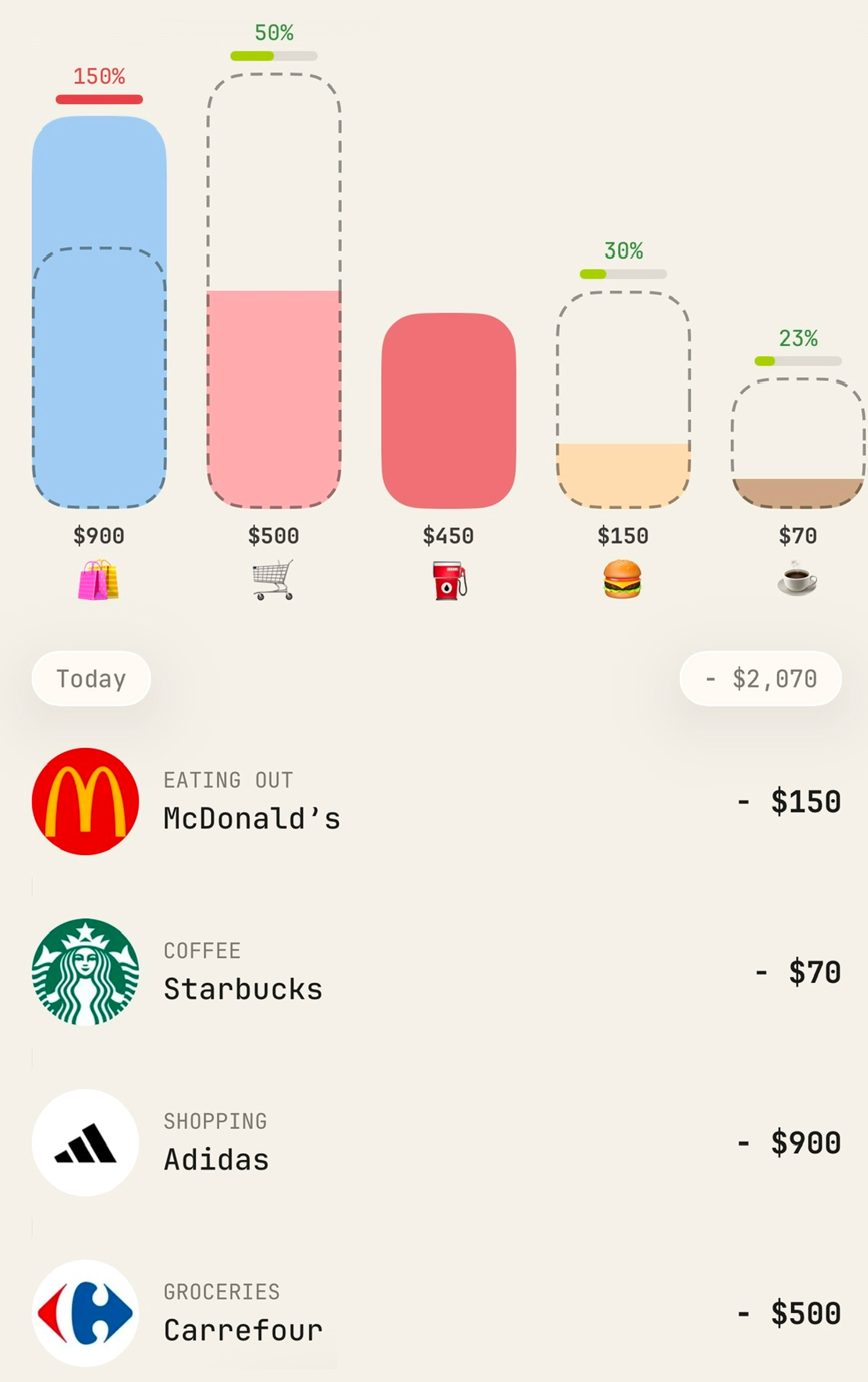
Category buckets filling up as you spend
02 · Budgets

Know your limits.
Own your month.

Set a limit for your whole wallet, or go granular bucket by bucket. Spent keeps count so you never get a nasty surprise at the end of the month.

  • One number for the whole wallet — the month at a glance
  • Per-category limits for groceries, going out, whatever matters
  • Live progress bars so you always know where you stand
Budget progress bars for each spending category
03 · Just say it

Speak your spending.

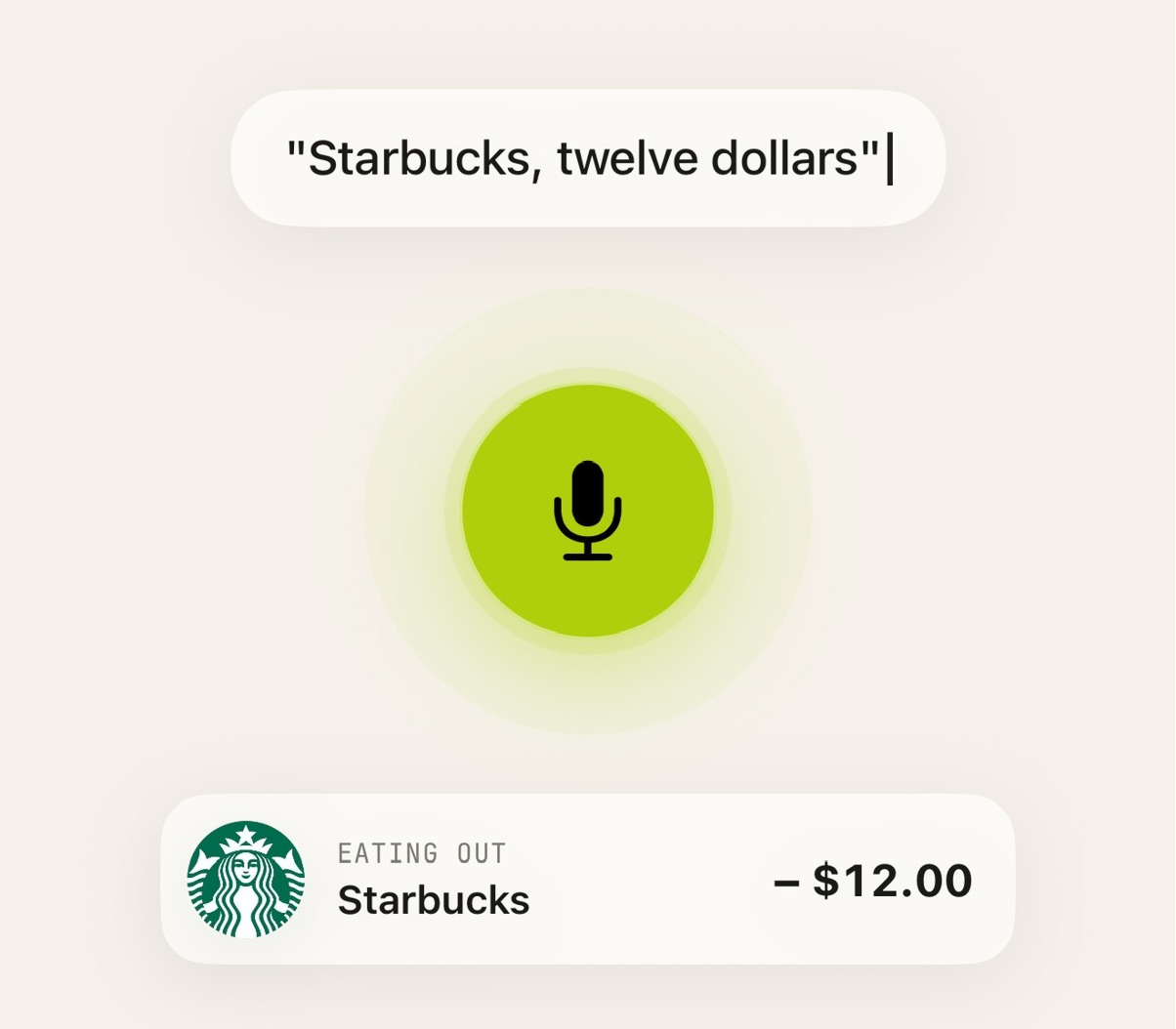
Hit the mic and say what you spent — “sixty bucks at Whole Foods.” Spent fills in the amount, the merchant and the category. No typing, no forms.

  • Natural speech, logged in seconds
  • Amount, place & category detected automatically
  • Review and tweak before it saves
  • Works with Siri — just say "Hey Siri, log to Spent"
04 · Tap to track

Tap, pay, tracked.

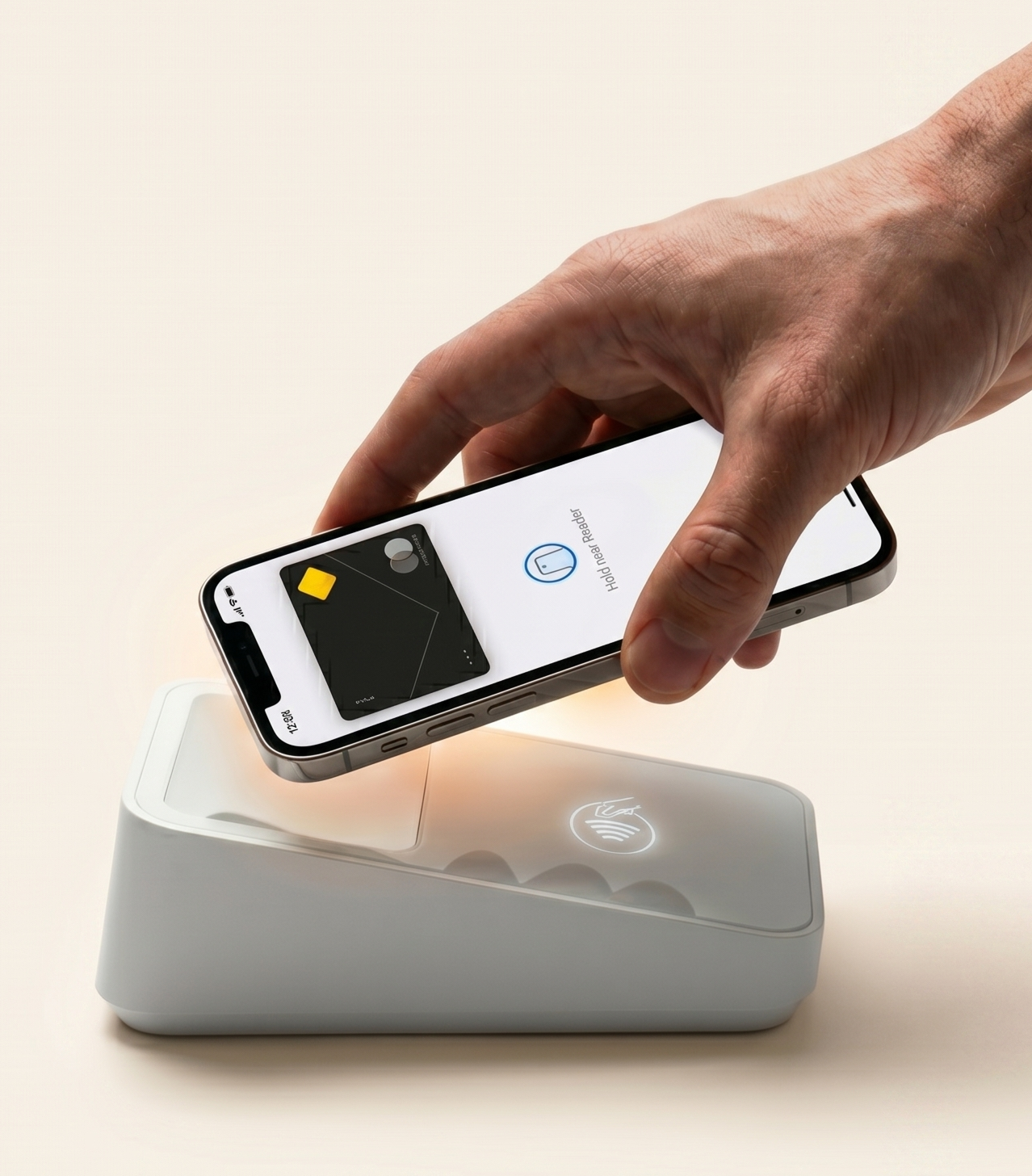
Track your Apple Pay purchases instantly — without ever linking a bank account or sharing a single credential.

  • Powered by Apple's Shortcuts
  • 100% secure — nothing sensitive is ever passed to the app
  • No bank connection, no screen-scraping
  • New purchases logged automatically
Learn more

It works through an Apple Shortcut and an automation you set up once. When you tap to pay, the shortcut sends the transaction details straight to Spent — Apple never shares any sensitive information, so your card number, bank info, and personal data stay completely private the whole time.

Setting it up is easy — there's a step-by-step walkthrough right inside the app's Settings to get you going in minutes.

Worth knowing: it only picks up tap-to-pay transactions. Purchases made online or entered elsewhere won't be logged automatically — but you can always add them in seconds by just saying it.

An Apple Pay purchase tracked automatically
05 · Together

Share the wallet. Keep the privacy.

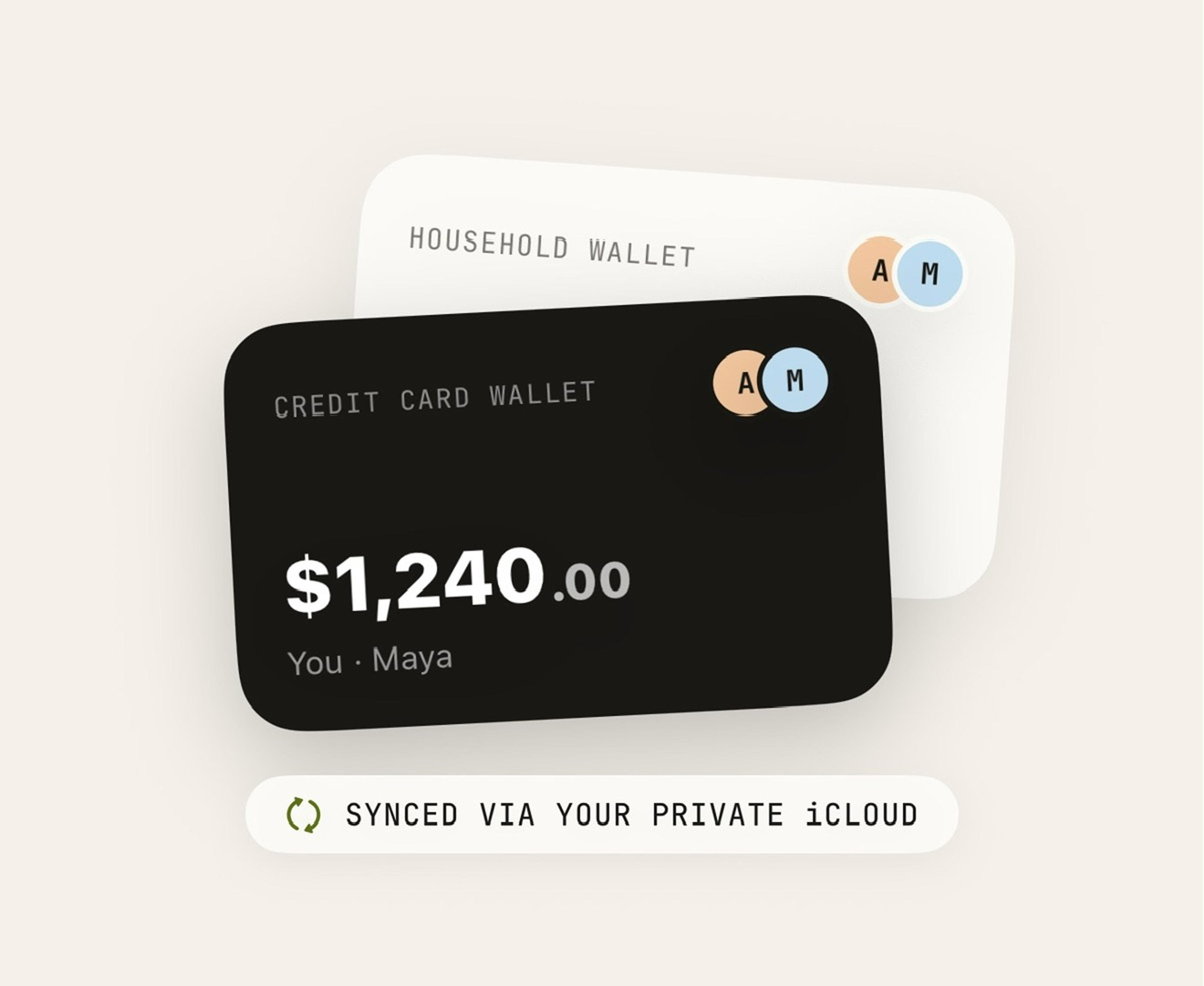
Rent, groceries, that weekend trip — track it together. Both people contribute, both see live updates, and nobody else does.

  • Share any wallet with whoever you choose
  • Live sync between the people in the wallet
  • Invite-only — private to your circle
Learn more

Create a wallet for the things you split — a household, a trip, a shared card — and invite the people involved. Everyone's entries roll into one clear total.

Sharing happens through your private iCloud, so a shared wallet is still just between you. Nobody else can ever see your data.

06 · Privacy first

Yours, and only yours.

No sign-ups, no identity, no external databases. Your data lives on your phone and syncs strictly through your own private iCloud.

  • Anonymous by design — no email, no password, no identity
  • On-device first, iCloud-synced, never stored externally
  • Delete and reinstall anytime — your data waits safely in your iCloud
Learn more

Your financial data is nobody's business. Spent was designed to be anonymous from day one — everything you enter stays yours, and only yours. Nobody else can access it, ever.

Everything lives on your device and syncs through your Apple's private iCloud to keep your devices in step. We can never see any of it.

Read exactly how this works on our Privacy Policy page.

No hidden extras

All features.

auto_awesome
AI Auto-Sorting

Every transaction lands in the right category the moment it's logged.

savings
Budgets

Set a limit for your whole wallet or per category. Live progress bars keep you on track.

mic
Voice Entry & Siri

Say what you spent, or just say "Hey Siri, log to Spent." Amount, merchant and category detected automatically.

contactless
Apple Pay Tracking

Tap to pay, instantly tracked. No bank logins, no screen-scraping — just your existing wallet.

group
Shared Wallets

Track rent, trips or shared cards together. Live sync, invite-only, private to your circle.

lock
Privacy First

No sign-up, no external servers. Everything lives on your phone and syncs via private iCloud.

trending_up
Spending Trends

Compare your habits month over month — spot patterns before they become problems.

pie_chart
Spending Breakdown

See exactly where your money goes at a glance, split by category.

category
Custom Categories

Not everything fits a preset. Create your own buckets and organise your way.

repeat
Recurring Transactions

Set it once — rent, subscriptions, gym — and it logs itself every month.

all_inclusive
Unlimited Transactions

Log every coffee, every commute, every splurge. No cap, no tiers.

import_export
Import & Export

Move your data in or out as a CSV any time. It's yours — take it anywhere.

Try it on your next purchase.

Free to start. No account. Download Spent and see your money clearly.